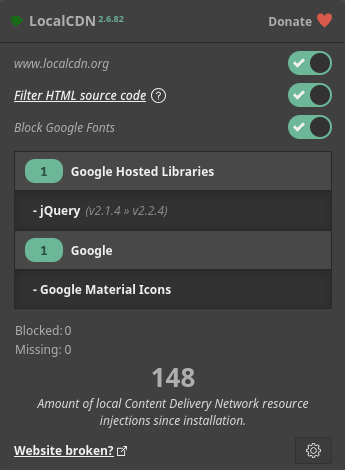
Most sites load stuff from big CDNs, for example Google Fonts, jsDelivr, Cloudflare and several other CDNs like these.
Every time you surf into your favorite pr*n site or pretty much any site at all, there’s a big chance that you leak a bit of data about where you’ve been surfing.
Some people tend to say: “But I don’t have anything to hide… Bla bla….”.
Maybe not, but why spread that information around anyway, do you also walk around telling random people your PIN code?
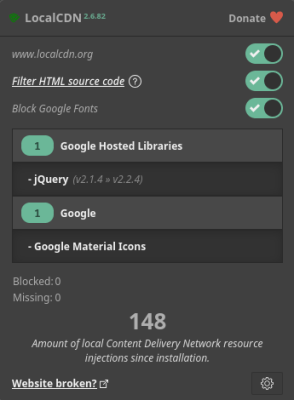
LocalCDN fixes that by serving those libraries locally from your browser instead of fetching them from some server online. You get the same fonts, same scripts, the difference is that it’s faster and private.
It works great in combination with uBlock Origin.
Because uBlock blocks ads and trackers. (Among other things, like forced Dark Mode for websites.)
And LocalCDN replaces the legit CDN files locally.
So with this combo you will be able to send way less Google (and other CDNs) requests just because a site uses their fonts or some JavaScript. Websites will load quicker, and your browsing habits stay yours.
Best combo? Firefox + LocalCDN + uBlock Origin. Browsers that using Chrome works too, not as good as Firefox.
Below is a screenshot from the official LocalCDN website.
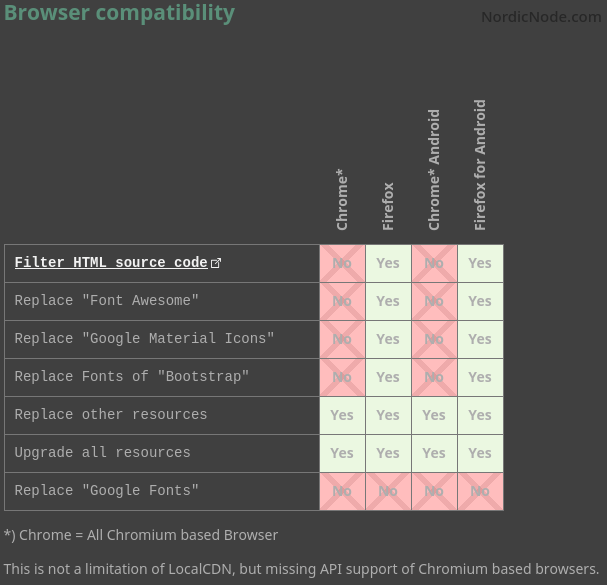
For some reason Chrome-based browsers couldn’t block/replace certain things.
But installing LocalCDN will still make your Chrome browser more private and faster.
Here’s a link to LocalCDNs Website.
Related posts:

Download Amuse AI version 2.2.2 here (Working Torrent)

Block MultiCast from the Build-in Firewall (Windows10 & More!)
