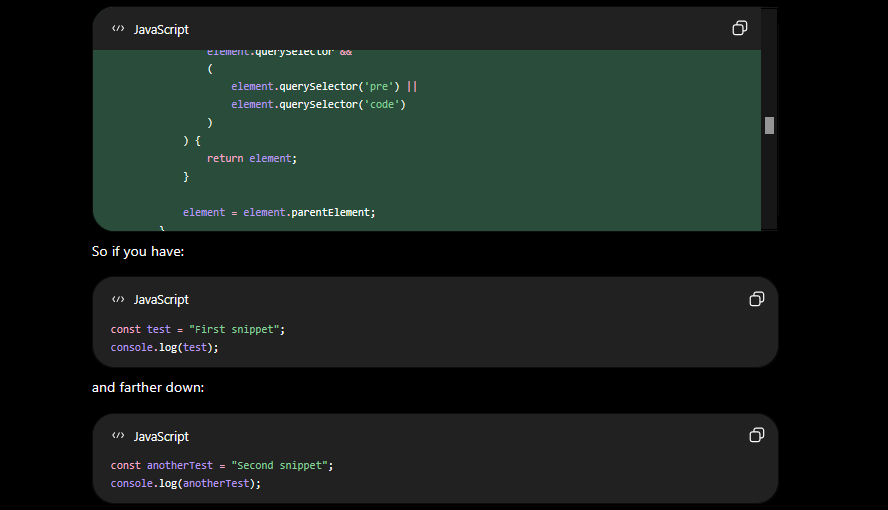
Are you sometimes losing track when you’re copying chat or code blocks from ChatGPT?
I often tend to lost track when I have lots of small code blocks from ChatGPT to copy and paste when I have to switch from the browser to other tabs or switch over to some application.
This is a small but useful UserScript, created with ChatGPT of course. :P
It’s really simple. The only thing it does it to highlight the last copied code block. The background will change to a greenish color and the max height of that block will be set to 250px and add a scrollbar if needed.
Here is a screenshot of what is looks like after a code block have been copied.
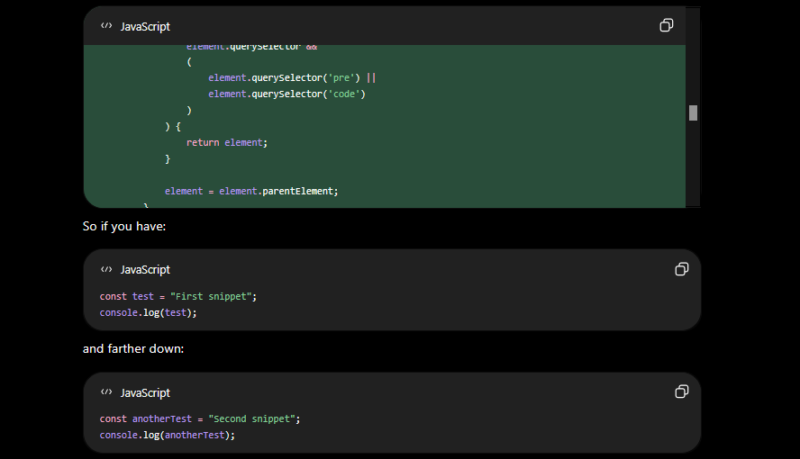
I’ve only tested it with ViolentMonkey on Firefox but I’m pretty sure it will work for user Userscript extensions and web browsers too.
Just copy and past the UserScript code below:
// ==UserScript==// ==UserScript==
// @name         ChatGPT - Highlight Copied Code
// @namespace    nordicnode.chatgpt
// @version      1.0
// @description  Highlights and set max height to 250px of your most recently copied ChatGPT block.
// @match        https://chatgpt.com/*
// @match        https://chat.openai.com/*
// @grant        none
// @author https://www.nordicnode.com/
// @copyright NordicNode - https://www.nordicnode.com/highlight-chatgpt-blocks-when-copy-is-pressed/
// ==/UserScript==

(function () {
    'use strict';

    // ---------------------------------------------------------
// SETTINGS
// Change these values to customize the highlight.
// ---------------------------------------------------------
    const HIGHLIGHT_COLOR = '#294d3a';
    const BORDER_COLOR = '#000';

    // ---------------------------------------------------------
    // Add our custom CSS.
    // ---------------------------------------------------------
    const style = document.createElement('style');

    style.textContent = `
        .byte-copied-code {
            background-color: ${HIGHLIGHT_COLOR} !important;
            outline: 2px solid ${BORDER_COLOR} !important;
            max-height: 250px;
            overflow-y: auto;
            outline-offset: -2px !important;
            transition:
                background-color 0.2s ease,
                outline-color 0.2s ease !important;
        }

        /* Make the actual PRE area use the same highlight color. */
        .byte-copied-code pre {
            background-color: ${HIGHLIGHT_COLOR} !important;
        }
    `;

    document.head.appendChild(style);

    // ---------------------------------------------------------
    // Find the code-block container belonging to a Copy button.
    // We walk upwards instead of relying on ChatGPT class names,
    // since those can change frequently.
    // ---------------------------------------------------------
    function findCodeContainer(button) {
        let element = button;

        for (let i = 0; i < 10 && element; i++) {
            // A ChatGPT code block normally contains a <pre> or <code>.
            if (
                element.querySelector &&
                (
                    element.querySelector('pre') ||
                    element.querySelector('code')
                )
            ) {
                return element;
            }

            element = element.parentElement;
        }

        return null;
    }

    // ---------------------------------------------------------
    // Detect Copy-button clicks using event delegation.
    // This also works for messages dynamically added by ChatGPT.
    // ---------------------------------------------------------
    document.addEventListener('click', function (event) {
        const button = event.target.closest('button');

        if (!button) {
            return;
        }

        // ChatGPT may identify the button through aria-label,
        // title, visible text, or a combination of them.
        const buttonText = [
            button.getAttribute('aria-label') || '',
            button.getAttribute('title') || '',
            button.innerText || ''
        ]
            .join(' ')
            .toLowerCase();

        if (!buttonText.includes('copy')) {
            return;
        }

        const container = findCodeContainer(button);

        if (!container) {
            return;
        }

        // Remove the highlight from the previously copied block.
        document
            .querySelectorAll('.byte-copied-code')
            .forEach(element => {
                element.classList.remove('byte-copied-code');
            });

        // Highlight the newly copied code block.
        container.classList.add('byte-copied-code');
    });
})();
Enjoy!