
LocalCDN – Surf with Increased Privacy. Keep Fonts/Scripts Local

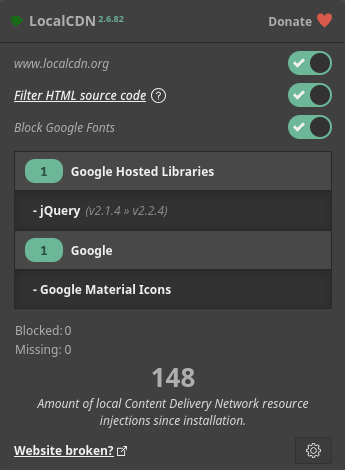
Most sites load stuff from big CDNs, for example Google Fonts, jsDelivr, Cloudflare and several other CDNs like these.Every time you surf into your favorite pr*n site or pretty much any site at all, there’s a big chance that you leak a bit of data about where you’ve been surfing. Some people tend to say: … Read more

What’s “skiko-windows-x64.dll” – Malware? [SOLVED]

Have you also found the file skiko-windows-x64.dll and thought it looked suspicious for some reason? I did some digging and the word Skiko is actually short for short for Skia for Kotlin.Skia is used in the programming language called Kotlin, it’s developed by JetBrains. Skia is an open-source 2D graphics library that provides user-friendly APIs … Read more

Block MultiCast from the Build-in Firewall (Windows10 & More!)

This simple command might save you some time and increase your security if you want to block MultiCast traffic. It sometimes happens that some device connected to your network, like a phone, PC, TVs are sending way more announce packages than needed. It’s mostly used for example devices such as ChromeCast, MiraCast, TVs and computers … Read more

Stop Microsoft from Spying on everything you do. (Block Telemetry)

Most people know that the Windows Operative System is sending lots of information about their users to Microsofts servers.

What kind of information are they collecting? Why do they need more than information about bugs, what version you have of their product so they can send the right ones so you can update your system and information that really is needed to use Windows from day to day.

I don’t want to send everything I type, every URL I visit, the kinds of media I’m listening to or watching. Because that is private information and I like to be able to choose what kind of stuff corporations know about me.

If you want to block some of some of Microsofts Telemetry Servers then copy the list below and paste it at the end of your HOSTS file.
You’re doing this at your own risk. I’ve done it among several other people and my PC seem to be working fine.

You first need to run Notepad as Administrator, click on Windows Start button, type Notepad and Rightclick on it and choose to run it as Administrator.

In the Notepad meny, Open this file:
C:\Windows\System32\drivers\etc\hosts

Now, copy the list below and paste it at the bottom of the file, then save it and close NotePad. Now these servers should be blocked.

Read more