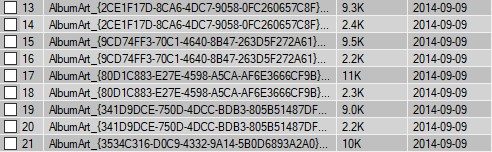
This is how to make each line in a listview have a different color.
The listview in this example is named “lv”.
                Dim myRow As ListViewItem
                Dim RowCount As Integer = 0
                For Each myRow In lv.Items
                    If RowCount Mod 2 = 0 Then
                        myRow.BackColor = Color.Silver
                    Else
                        myRow.BackColor = Color.LightGray
                    End If
                    RowCount = RowCount + 1
                Next
Related posts:

VB.net: Auto Scroll a Listbox
Do you want to make a Listbox in VB.net auto scroll to the l...

Download website source code with VB.net
This is a simple guide about how to download a websites sour...

Loop through every letter in string in VB.net
This is a tiny bit of code that will loop and display each l...